Running a barber, a clothing store and a tattoo parlour from one studio saves a lot of fiddling, because the three share the same setup pattern. VMS Barber, VMS Clothes Store and VMS Tattoo Shop each take a Config.Core line for ESX or QBCore, a skin manager setting, a notification function and a table of shop locations with their own blips. Get those four right in each file and the shops open. The main traps are that the three files spell QBCore differently, that the tattoo shop needs a database column, and that the clothes store's saved outfits live wherever your appearance resource keeps them.
This guide is our own walk through the builds in the downloads: fxmanifest.lua, config.lua, the client and server Lua and the SQL files. We read the code; we did not run all three on a live server, so treat it as a guide to the files rather than a play test.
Which builds are in the downloads
The studio's changelogs have moved on since these builds. VMS publishes a version history for each resource on GitHub, and against it the downloads hold:
- Barber: two archives. One is version 1.0.1 (October 2022), which is ESX-only and reads the skin through skinchanger and
esx_skin. The other has no version line in its manifest, but it carries the QBCore switch and fivem-appearance support from 1.0.3 and not the illenium-appearance support added in 1.0.9, which places it in early 2023. Use the second one unless you have a reason not to. The studio's current barber is 2.0.3. - Clothes Store: version 1.1.5 (November 2023). The studio is on 1.1.9.
- Tattoo Shop: two archives, versions 1.0.3 (February 2023) and 1.0.0. The studio is on 2.0.4, released in August 2025, after a 2.0.0 redesign in October 2024.
A purchase covers updates for as long as VMS keeps shipping them. If you want a newer build than the one in your download, contact us from the address on your order and we will send it.
What all three expect
- oxmysql. The clothes store, the tattoo shop and the newer barber build load
@oxmysql/lib/MySQL.lua, so start oxmysql first. - Escrow. The barber 1.0.1, clothes store and tattoo shop manifests declare
dependency '/assetpacks'. The config and the main client and server Lua files sit inescrow_ignore, so everything you would normally edit is readable. - vms_notify by default. Every
Config.Notificationcallsexports["vms_notify"]:Notification. If you do not run it, swap in the commentedESX.ShowNotificationorQBCore.Functions.Notifyline in each of the three files. - The interact TextUI is optional. Each config has a TextUI switch pointing at the studio's
interactresource. With it off, the shops fall back to the game's help prompt. The one exception is the barber 1.0.1 build, which ships withConfig.TextUI_Enabled = true, so either runinteractor turn it off there.
Framework and skin manager, file by file
Set the framework in each config and switch the CoreExport function to the matching line. Watch the spelling:
| Resource | Config.Core for QBCore | Skin manager key and values |
|---|---|---|
| Barber (newer build) | "QB-Core" | Config.SkinManager: esx_skin or fivem-appearance on ESX, qb-clothing or fivem-appearance on QBCore |
| Clothes Store 1.1.5 | "QB-Core" | Config.SkinManager: adds illenium-appearance on both frameworks |
| Tattoo Shop 1.0.3 | "QBCore" | Config.SkinMenu: blank for esx_skin or fivem-appearance on ESX, qb-clothes or fivem-appearance on QBCore |
Copying "QB-Core" into the tattoo shop, or "QBCore" into the other two, leaves the server code without a matching branch. The barber and tattoo configs also need the player-loaded and job-update events for your framework (Config.PlayerLoaded, Config.JobUpdated, and Config.PlayerLogout on the tattoo shop), and their comments give both sets.
On a server running illenium-appearance, note that only the clothes store build here names it. The changelogs show the barber added it in 1.0.9 and the tattoo shop in 1.0.5, so that is a case for asking us for a newer build.
Tattoo Shop: the SQL and the custom designs
The tattoo shop is the only one of the three that changes your database. It stores each character's tattoos as JSON in a tattoos column, and the download includes one file for each framework:
[ESX] vms_tattooshop.sqladdstattoos LONGTEXTtousers.[QB] vms_tattooshop.sqladds it toplayers.
Run the one that matches your framework before the first start.
The manifest registers meta/vms_overlays.xml as a PED_OVERLAY_FILE and meta/shop_tattoo.meta as a TATTOO_SHOP_DLC_FILE, and the textures are in stream/. That is how the add-on designs reach players without a separate resource. Version 1.0.0 lists 11 VMS face designs under vms_overlays in Config.TattooList. Version 1.0.3 lists 19 face designs plus a neck piece, and adds a hair-overlay category built from GTA's own hair textures. Every entry has its own price and removePrice. Labels for the stock collections come from the game's text, so they follow the player's language.
While a customer lies on the chair, Config.ClothesOff strips them to the outfit defined there. The ESX format is active, and the QBCore one is commented out underneath it, so switch them over on QBCore.
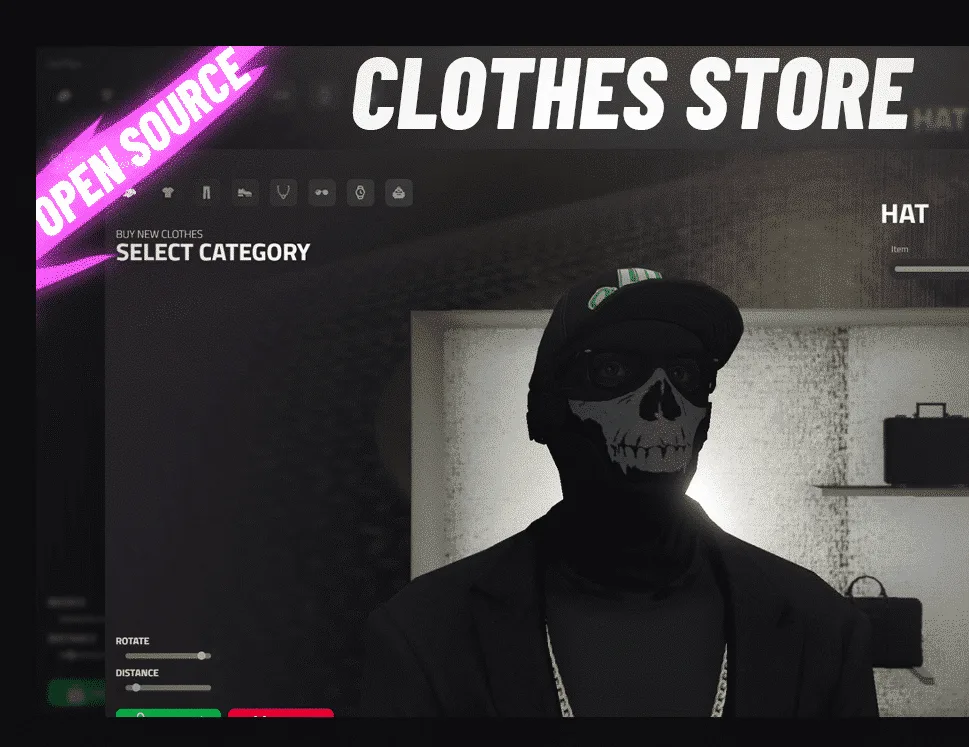
Clothes Store: shops, prices and saved outfits
Config.Stores holds 13 clothing stores and one mask store. Each entry has its own coords, blip, marker and a categories table, which switches masks, hats, tops, vests, trousers, shoes, chains, glasses, watches, ears and bags on or off for that store. That table is how one shop sells everything while another only sells masks. blockedClothes hides chosen drawables per gender, such as a police uniform. Its comment warns that a list needs at least two values, so to block a single ID you add a second number that does not exist.
Prices are in config.prices.lua:
Config.DefaultPriceapplies to anything without its own price.Config.PricesForComponentprices a category.Config.PricesForIdsprices a single drawable.- The
SpecificStoresvariants override both for chosen stores.
Shoppers pay from cash or bank.
Saved outfits are where the store leans on what you already run:
- ESX with
esx_skin: the wardrobe usesesx_datastoreunderConfig.DataStoreName, which ispropertyby default. That datastore has to exist. - ESX with fivem-appearance: outfits go in that resource's
outfitstable. - illenium-appearance, or qb-clothing on QBCore: they go in
player_outfits.
Config.Menu picks the naming and confirmation menus: esx_context, esx_menu_default or ox_lib on ESX, and qb-menu or ox_lib on QBCore. Outfit sharing (Config.ShareOutfit) uses vms_notify's question box unless you set Config.UseCustomQuestionMenu to false.
Other resources can open a store with the event vms_clothestore:open and a store ID, or open the wardrobe with the client export exports['vms_clothestore']:OpenWardrobe(). OpenShare and OpenManage work the same way. Set Config.UseTarget if you want an ox_target box zone instead of a marker.
Barber and Tattoo Shop: NPC shops and player-run shops
Both work the same way. Each shop in Config.Barbers or Config.Tattooshops has business and ownerJob keys:
business = false: an NPC shop. Customers sit or lie down and pay.barberorpedModelcan spawn a ped to stand in for staff, or you can leave it asnil.business = true: only players withownerJobcan work the chair. They open the menu on a seated customer and style them.
In both builds we read, the price comes out of the customer's money, and nothing in the server files pays it into a job or society account. The studio added boss menus in later 1.x versions and a management menu in 2.0.0.
Two defaults need attention before you go live:
- Barber: the Rockford Hills shop ships as a business shop with
ownerJob = "barber1". Create that job or point it at one you have. - Tattoo Shop 1.0.0: the Vinewood parlour ships as a business shop with
ownerJob = "police". Change it. The 1.0.3 build sets all four parlours to NPC shops.
The barber's location table has seven shops across Los Santos, Paleto Bay and Sandy Shores, and config_gabz.lua holds a replacement table for servers with those interiors. The tattoo shop has three parlours in 1.0.0 and four in 1.0.3, which adds Vespucci Canals. All the chair positions are hand-placed, so a custom interior means new coordinates. Barber prices are set per service in Config.Prices (hair, beard, eyes, makeup), and Config.CanMakeup turns makeup off.
Putting them together
Start oxmysql, your framework and your appearance resource first, then ensure vms_clothestore, vms_barber and vms_tattooshop. Fix the core spelling and skin manager in each config, run the tattoo SQL, and give the business shops real jobs. After that, they read as one set of shops with a shared look. If you are adding more VMS resources, our VMS gym setup guide follows the same pattern, and the VMS studio page lists the rest.
Sources
- vms_barber changelog, VMS on GitHub
- vms_clothestore changelog, VMS on GitHub
- vms_tattooshop changelog, VMS on GitHub
- vms_barber release thread, Cfx.re forum (September 2022)
- vms_tattooshop release thread, Cfx.re forum (November 2022)
- vms_clothestore release thread, Cfx.re forum (January 2023)
- interact TextUI, VMS on GitHub