 VMS
Clothes Store
One resource for outfit, mask and jewellery counters, with a camera that zooms in on each item.
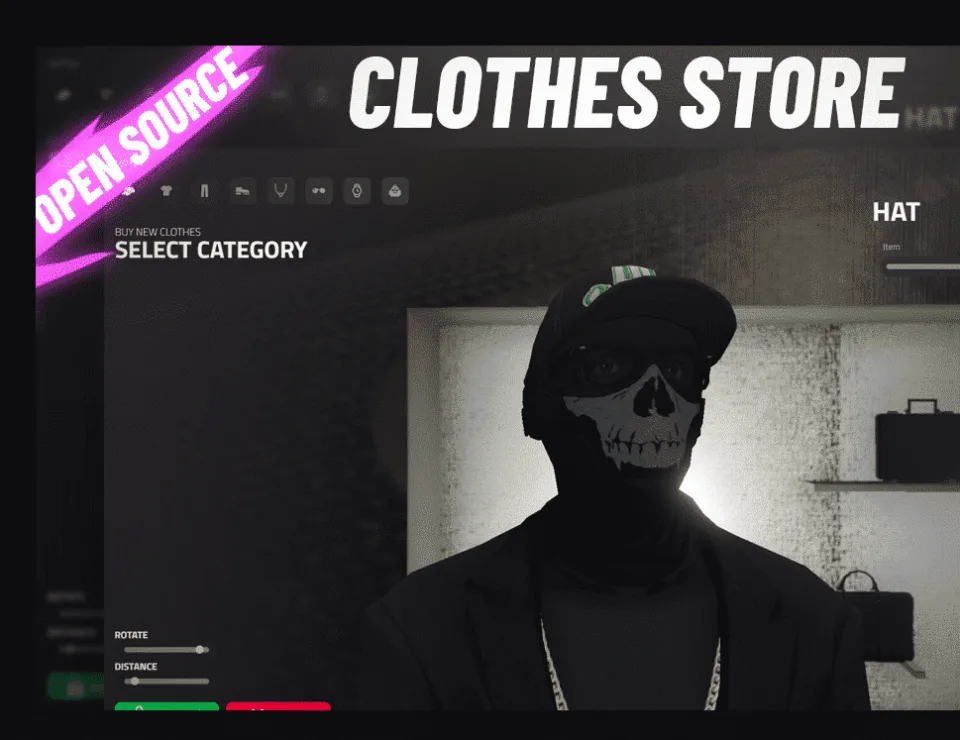
VMS Clothes Store replaces the plain outfit menu with FiveM shops that feel like real stores. Each location enables only the categories it should sell, so one resource can run a general outfitter, a mask shop and a counter that only sells chains, earrings and watches. It is for servers that want where a player shops to matter.
How it plays
A shopper walks onto a store's marker, or another resource such as an NPC conversation opens it for them. The camera follows whatever they are looking at: in close for hats, glasses and ears, pulled back for tops, trousers and shoes. The character holds a pose while they browse, and sliders respond to the mouse or the arrow keys. Once a look is paid for it can be saved under a name and put back on later in a dressing room, where the server allows one.
For server owners
- Give every shop its own categories, price, map blip and marker
- Pick the pose characters hold while shopping
- Decide who gets dressing room access for saved outfits
- Mute the interface sounds if you prefer silence
- Open stores from any resource by firing the store's event
Before you install
- QBCore or ESX
- Appearance resource: esx_skin, qb-clothing, illenium-appearance or fivem-appearance
- On QBCore, qb-menu with qb-input, or ox_lib; on ESX, esx_context, esx_menu_default or ox_lib
Also by VMS
To finish a look, add the Barber Shop for hair or the Tattoo Shop for ink. Every VMS release is on the studio page.
Write a review
Reviews are moderated before appearing. Purchased the product? Your review gets a VERIFIED badge automatically.
Included with this resource
- The vms_clothestore resource and its Lua code
- Store interface that scales to other screen resolutions
- A config listing every shop with its blip, marker, price and categories
- JavaScript translation files
 Kevin Scripts
 CodeM

 Scully
 Pug