Partner studio
 VMS
VMS
Spawn Selector
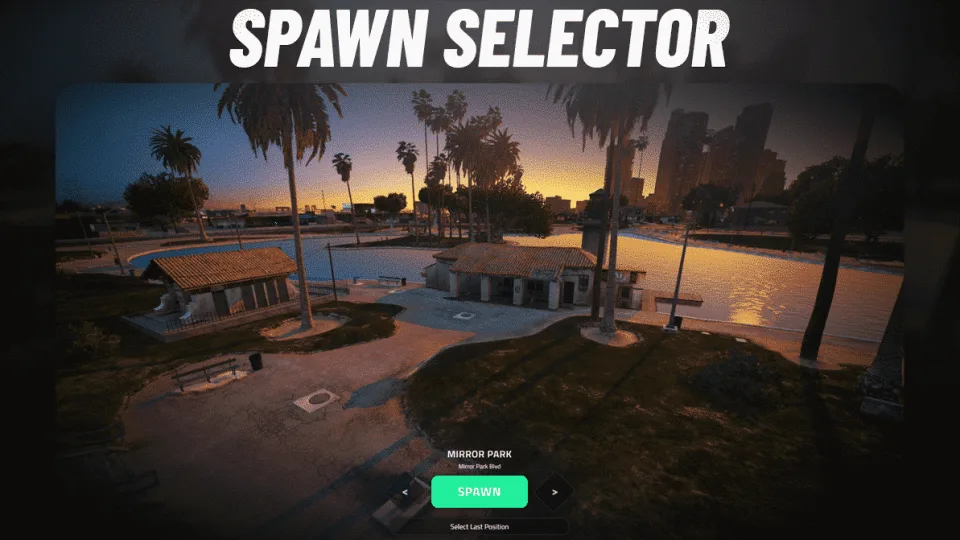
A camera flies over each start point in turn so a joining player can pick where in the city to begin.
Preview gallery
01 / 02
VMS Spawn Selector is a FiveM spawn menu shown after a player joins. The camera moves between start points across the map, each with a name and street address, and the player arrows left or right until they find where they want to begin. There is also a button to go back to where they last were.
What the download contains
This is an early build of the resource, from May 2023. Its Lua is not escrowed, so every file can be read and changed.
- Five example start points: Mirror Park, the airport, the beach, Sandy Shores and Paleto Bay. Add or move them in
Config.Spawns, each with a camera position and a spawn position - A fixed weather type and hour while the menu is open, with hooks for cd_easytime, qb-weathersync and vSync so the real sync resumes afterwards
Config.OnDeadOnlyLastPosition: a player who logged off dead can only come back where they fell- Hooks to hide and restore your HUD around the menu
Before you install
Config.Coreaccepts ESX or QB-Core; there is no Qbox setting in this build- The last-position button and the death check read the
userstable on ESX and the player's own position andisdeadmetadata on QB-Core - Needs oxmysql. Notifications call vms_notify by default and can be pointed at your own
- Nothing opens it on its own: call the
vms_spawnselector:openevent or theOpenSpawnSelectorexport from your character or login script
Also by VMS
A new arrival might head for the Clothes Store first. Everything else from the studio is on the VMS page.
No reviews yet — be the first to write one.
Write a review
Reviews are moderated before appearing. Purchased the product? Your review gets a VERIFIED badge automatically.
Included with this resource
- The vms_spawnselector resource, readable Lua with its HTML interface
- Five start points in the config, each with its own camera angle
- Setting for the weather and clock shown while choosing
- Client event and export so a character menu can open it
Keep browsing
Browse all resources
 AK4Y
 CodeM

 Tugamars

 Kevin Scripts