Partner studio
Scully's Development: FiveM Radio and Staff Menu
Scully's Development is the FiveM studio behind Scully Radio v2 and the All In One Menu, two resources built around how roleplay servers talk and how staff keep order. Both run without a framework, and here they are the studio's pick for comms and moderation.
From $30.00 · one-time, updates included
Everything Scully sells here.
Scully, in brief.
The developer works as Scullyy on GitHub, where much of the studio's free work is public. The best known piece is scully_emotemenu, a free emote menu under the GPL licence that relies on ox_lib and documents its exports, events and state bags. Next to it sit smaller utilities: vehicle callsigns, a permissions resource, a nearby-scenario helper, a synced arena interior switcher and a Cayo Perico travel script.
The paid side leans toward police and emergency play. Its catalogue includes a law enforcement script, a weapon holster, a weapon sling and a stratagem-style interaction menu, several of them sold in an escrowed edition and a source edition. Scully describes the community as serving both FiveM and RedM.
Scully Radio v2: voice channels with names and callsigns
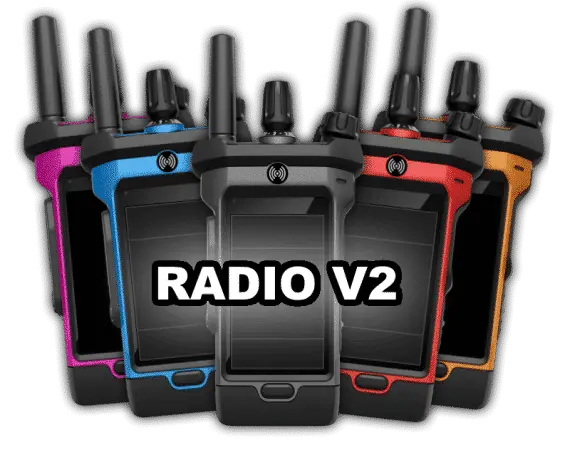
Anyone searching for the Scully radio is after Scully Radio v2, the second version of the studio's in-game handset. It sits on screen, shows the name and callsign each member picked, and marks who is speaking right now, so dispatch, patrol units and gangs can see who is on the line before anyone keys up. Owners can whitelist and rename channels, and the handset itself comes in a range of colours.
All In One Menu: one Scully menu instead of vMenu
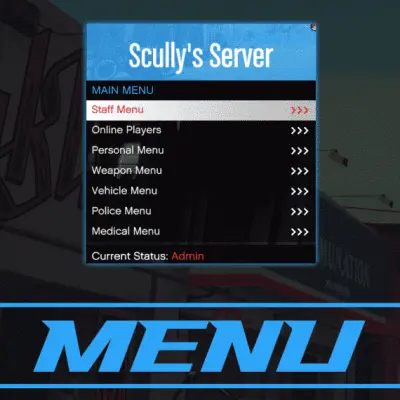
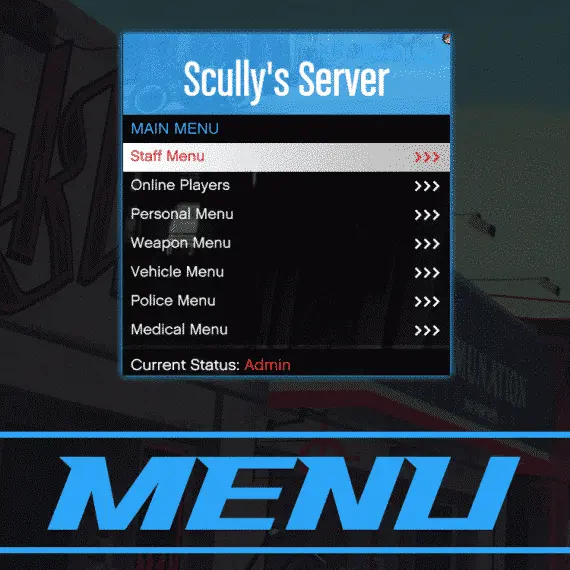
The All In One Menu is the Scully menu for servers that want to drop vMenu. It ships as scully_menu and puts moderation, player options, police and EMS sections behind one entry point, with ACE permissions deciding which sections each group can reach. Saved peds, cars and loadouts can stay on one server or follow a player to others that run it.
Framework support
- Scully Radio v2: ESX or QBCore (a radio item is optional on either), Scully's own Server Core, or no framework at all, where players type their name and callsign. Voice must be pma-voice. Qbox is not listed.
- All In One Menu: standalone by design, controlled through ACE permissions, with OneSync Infinity supported.
Where to start
Pick the radio if your departments or crews already coordinate over pma-voice and want names on the channel. Pick the menu if staff tooling is the gap and you are ready to set up ACE groups. Neither needs the other, and neither ties you to a framework.
Asked about Scully.
Where are the Scully docs?
The studio runs a documentation site for its police, holster, sling and stratagem releases, and the emote menu keeps its docs in its public GitHub repository. For Scully Radio v2 and the All In One Menu, the download itself carries the readme and config files, and our radio setup guide walks through a first install.
Does Scully Radio v2 work with Qbox?
Qbox is not on the studio's list for the radio. The supported setups are ESX, QBCore, Scully's Server Core and a standalone mode, always with pma-voice. The All In One Menu has no framework dependency at all.
Can I use Scully Radio v2 with another voice resource?
No. Scully has said the radio works with pma-voice only, so a server on a different voice system would need to switch before installing it.
Is the Scully emote menu sold here?
No. scully_emotemenu is a free, open-source resource the studio publishes on GitHub. We cover installing it and adding custom emotes in this guide.
Is the All In One Menu still maintained?
Yes, as of the studio's April 2025 reply on the Cfx.re forum, which confirmed the menu was still being maintained.